Time tracking & invoicing for Mac

Track your time.
Make it count.

Turn your hours into professional invoices, right on your Mac. Made for freelancers who would rather get back to work.

Browsing on your phone? Pick this up on your Mac.

Free to start macOS 14.6+

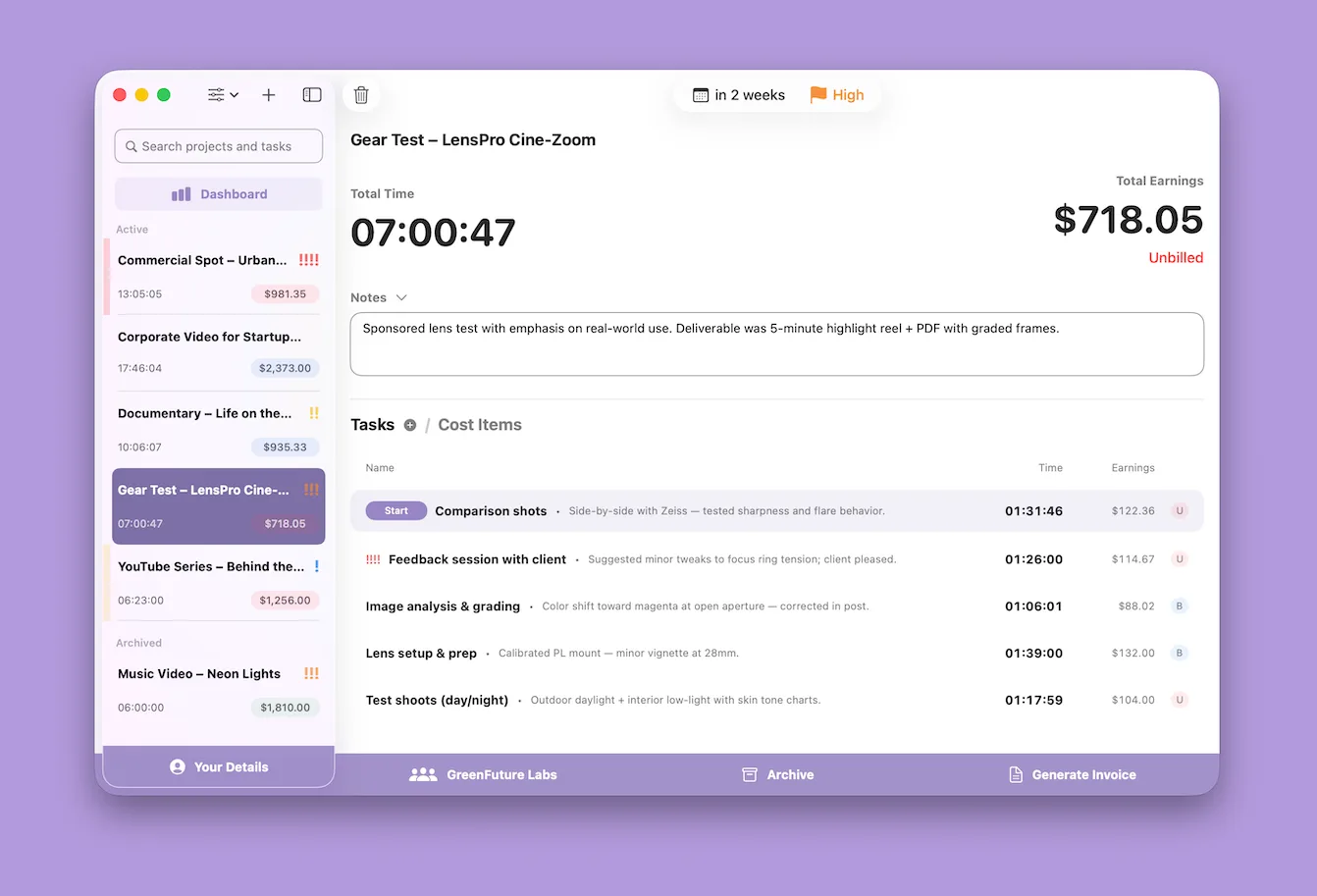
TimeBill on Mac, with client projects, a running timer, and earnings together in one window
From the first minute to the final invoice.

A little less admin

More space for your actual work.

Every hour accounted for.

Start a timer or add time later. Keep hourly work, fixed-price projects, and expenses together.

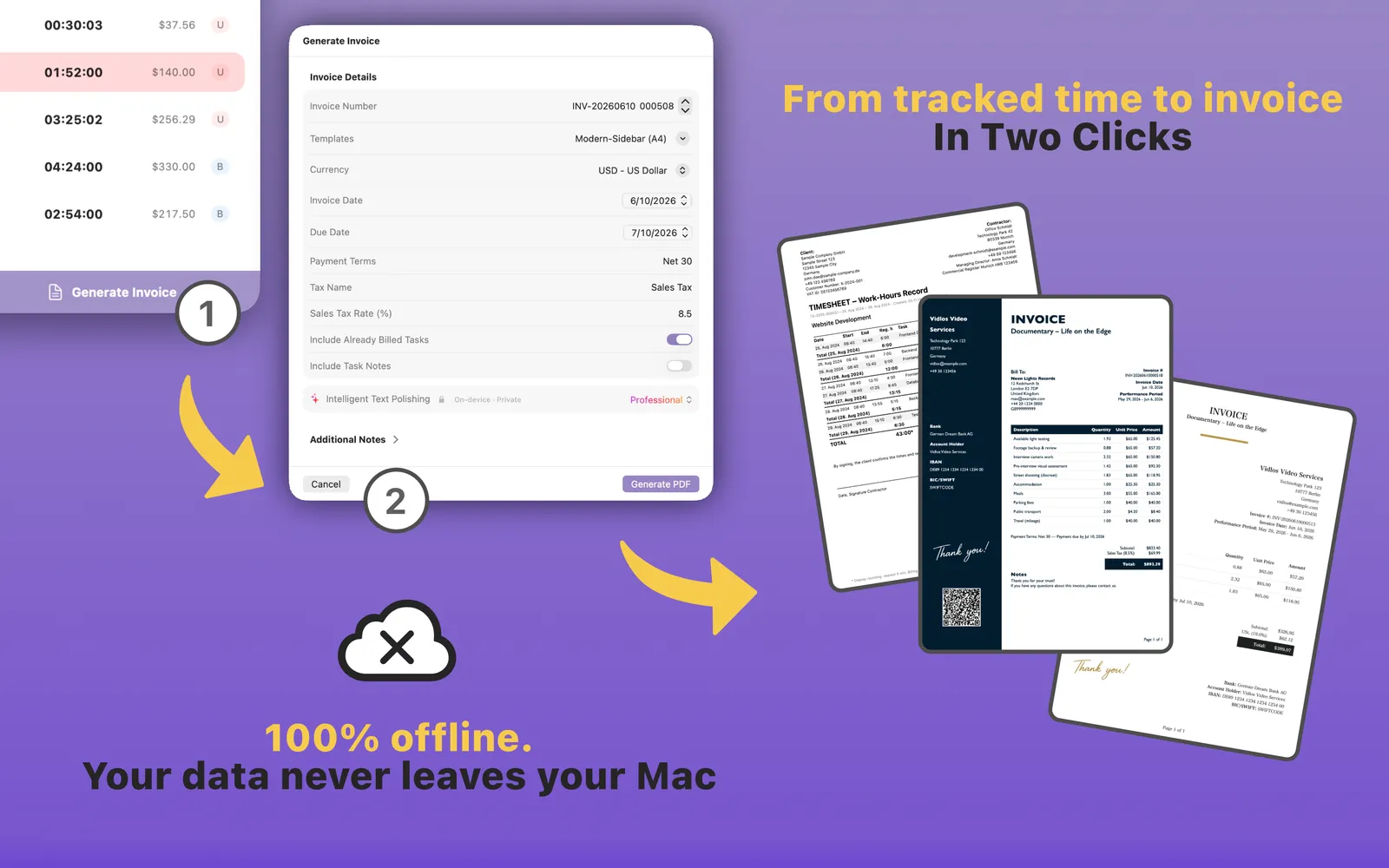
Ready to send. Ready to bill.

Turn the work you’ve tracked into professional invoices and timesheets, with your own branding.

Your business stays yours.

Your clients, projects, and invoices stay on your Mac. Work offline, with no account to create.

Track it. Bill it.

Finish the work.
Send the invoice.

Your billable hours are already there. Choose the work to include, add your expenses, and make the invoice your own.

  • Customizable invoice templates
  • Professional PDFs and timesheets
  • Time and cost items in one place
Explore invoicing
TimeBill turning tracked tasks and cost items into a PDF invoice and timesheet

A clearer picture

Know where every
project stands.

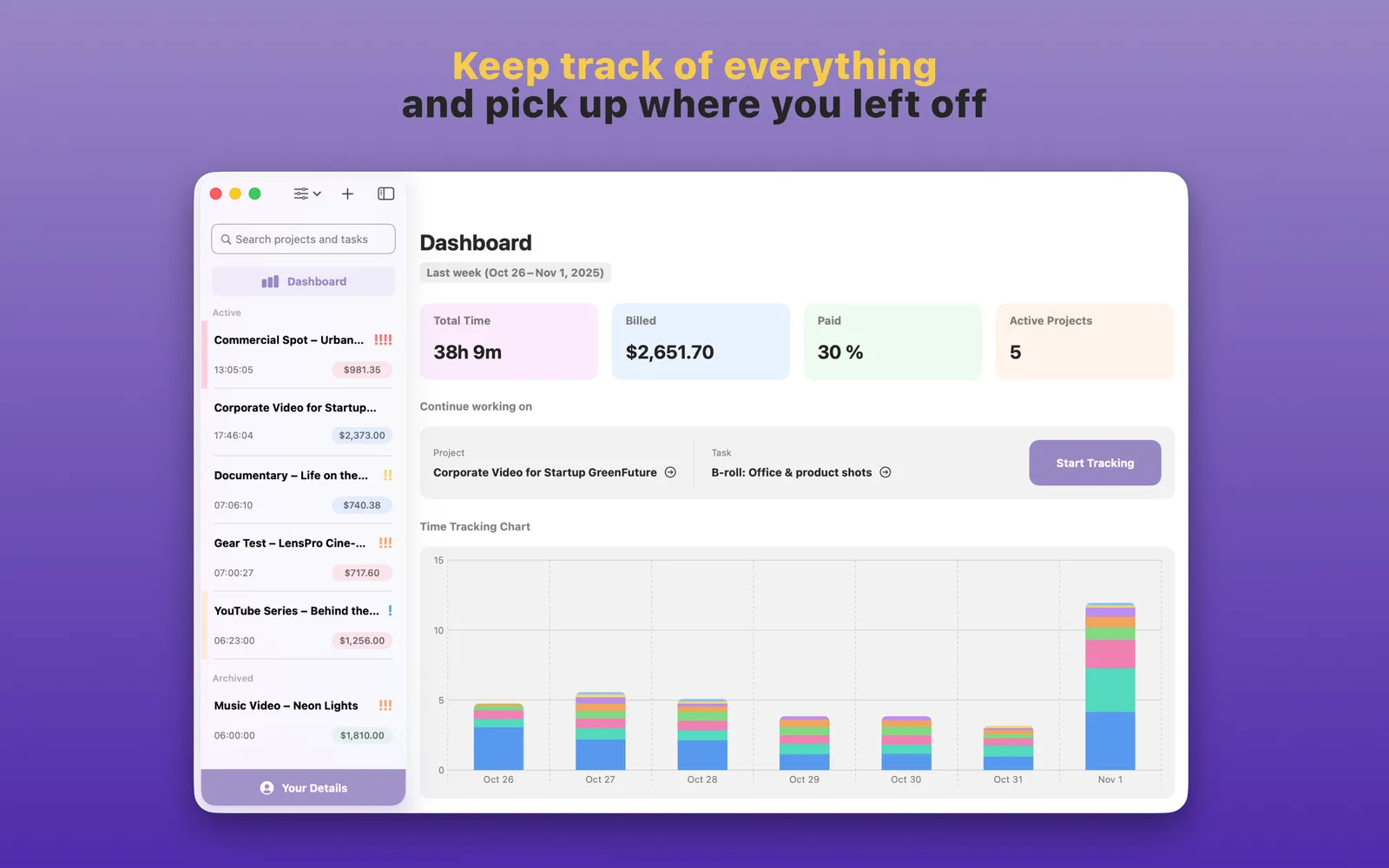
See your tracked time and earnings at a glance. Follow work from unbilled to billed to paid, so the next step is always clear.

  • A dashboard for your working day
  • Hourly and fixed-price projects
  • Client details close at hand
TimeBill dashboard with total tracked time, billed and paid amounts, and a time-tracking chart

Good to know

A few details.
Then you’re off.

Something else on your mind?

Visit the Help Center
Can I start for free?

Yes. The free version has no time limit and includes up to 10 projects, with up to 5 tasks and 5 cost items per project. Invoice PDFs include a watermark. You can upgrade to Premium when you need more.

What’s included in Premium?

Premium gives you unlimited projects, tasks, and cost items, removes the watermark from invoices, and adds standalone e-invoice XML export. Choose a Lifetime purchase or a monthly or yearly subscription. You’ll find current pricing in the app.

Does TimeBill work on my iPhone?

TimeBill is a Mac app and requires macOS 14.6 or later. Browsing on your phone? Use “Save link for my Mac” above or below to keep the download link for when you’re back at your desk.

Do I need an account or an internet connection?

No TimeBill account is needed. Your client details, projects, and invoices are stored locally on your Mac, so you can track time and prepare invoices offline. You’ll need an internet connection to download the app and manage purchases.

Can I make invoices look like my business?

Yes. Choose a template and customize its layout, typography, and sections in the built-in Template Editor. Reuse your templates across clients, then export PDF invoices and timesheets directly from your tracked work.

Your next project starts here

Make your next hour count.

Less time on admin. More time doing what you do best.
Start with TimeBill for free.

Browsing on your phone? Pick this up on your Mac.

For macOS 14.6+ No account needed